
Table of Contents
- What You'll Need Before On Site Fob Programming for Fleets
- Step 1: Schedule and Prepare Your Fleet for Mobile Car Key Programming
- Step 2: Confirm Compatibility and Run Fleet Key Programming On Site
- Step 3: Validate Programming, Deauthorize Lost Keys, and Secure Access
- Key Fob Programming Cost: What Drives the Quote for Fleets
- Use a Fleet Key Management System to Keep Programming Organized
- Common Mistakes to Avoid with On Site Fob Programming for Fleets
- Conclusion
- Frequently Asked Questions
Last Updated: October 18, 2026
What You'll Need Before On Site Fob Programming for Fleets
On site fob programming for fleets works best when the paperwork is ready before the technician arrives. A mobile tech can pair a new key fob in minutes, but only if you can prove the vehicle is yours and the key matches the system.
Gather these before the appointment:
- Proof of ownership or authorization for each vehicle: title, registration, or a signed fleet authorization letter
- The vehicle identification number (VIN) for every unit, pulled from the dash or door jamb
- All existing keys and fobs for each vehicle, so the tech can confirm what's already paired
- A list of drivers and which vehicle each one is assigned to
- A secure parking spot with room to open doors and reach the OBD port
A mobile locksmith verifies ownership before touching the vehicle. That's not red tape. It's the same check that keeps a stolen van from getting a fresh key.
Documents, VINs, and Ownership Verification
Ownership verification is the first gate in any legitimate key job. The tech needs to match the VIN on the vehicle to the VIN on your paperwork. If you're a dealer, a lot authorization letter covers your inventory.
Keep the VIN list in one place. A spreadsheet with unit number, VIN, make, model, year, and current key count saves time on every visit.
Step 1: Schedule and Prepare Your Fleet for Mobile Car Key Programming
Mobile car key programming runs on a schedule, not a scramble. Book the visit around your vehicles' downtime, not the other way around. Most fleets park overnight or on weekends, which gives the tech a clear window to work without pulling units off the road.
Prep steps that cut service time:
- Pick a window when the most vehicles are parked, like a Sunday or an overnight block.
- Stage the units together in one row or zone so the tech isn't hunting across the yard.
- Label each vehicle with its unit number and VIN on the windshield tag.
- Pull the key history for each unit: how many keys exist, who holds them, and whether any are missing.
- Confirm the count of fobs you expect back at the end.
Fleet key programming moves faster when every vehicle is in one place. A tech who has to walk a 40-acre yard between units burns time you're paying for.
Batching Vehicles and Coordinating Drivers
Batching is the core scheduling decision. Group units by location first, then by key technology, then by urgency. A yard with 12 vans that all need spare fobs is one batch. A single unit with a lost key is an emergency call-out and should be priced and scheduled separately.
Driver coordination is where most visits slip. Drivers who hold the only working key for a unit need to hand it in before the tech arrives, or the tech cannot confirm the existing key count and cannot verify deauthorization. A simple pattern that works:
- Send drivers a one-line notice with the date, the staging location, and the instruction to leave all keys and fobs in the unit or with the fleet manager
- Assign one person on site to sign vehicles in and out and to hold the VIN list
- Schedule driver shifts so the units that need programming are back before the next route
Minimizing Downtime During the Visit
Downtime is the cost that usually outweighs the programming price. Plan the visit so the slowest units go first and the fastest units fill the end of the window. Keep a small buffer of units that can be swapped onto routes if a programming job runs long or a module fault forces a follow-up visit.
A workable sequence for a one-day batch:
- Start with units that have a known module fault or a lost key, because those are the ones most likely to need extra time or a second visit
- Move to proximity and push-to-start units next, since they take longer per unit than transponder keys
- Finish with basic transponder keys on older vans, which are the fastest to cut and pair
- Leave a 30- to 60-minute buffer at the end for retests and for any unit that failed the first pairing attempt
Step 2: Confirm Compatibility and Run Fleet Key Programming On Site
Compatibility decides whether a fob can be programmed on the spot or needs a dealer visit. The tech checks the vehicle's make, model, year, and key technology before starting.
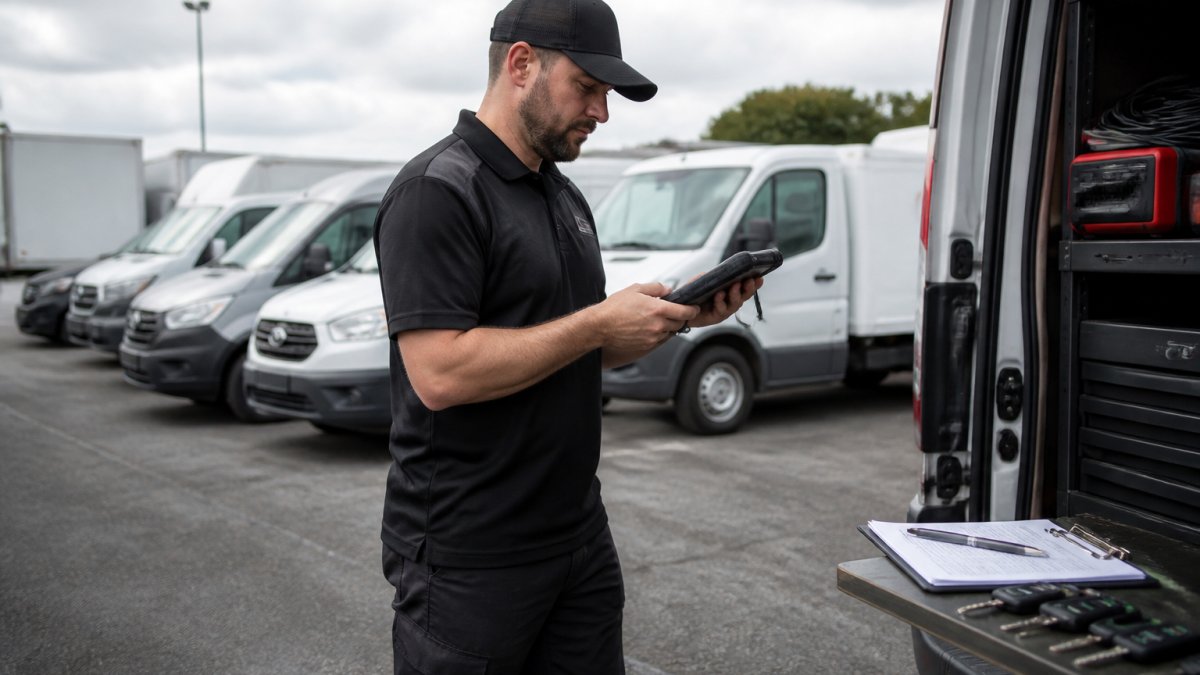
The core steps on site:
- Scan the VIN and confirm the vehicle's key type.
- Connect the key programmer to the OBD port under the dash.
- Pull the security data from the vehicle's onboard computer and immobilizer.
- Pair the new fob to the security module so the vehicle recognizes it.
- Test the remote entry, ignition, and immobilizer before moving to the next unit.
Vehicle Make, Model, Year, and Key Technology Checks
Key technology splits into a few families. Older vehicles use a basic transponder chip. Newer ones use rolling-code remotes and push-to-start fobs. Some commercial vans add RFID or proximity systems.
A work van from one model year can share a platform with a pickup from another. That's why the tech checks the VIN, not just the badge on the grille.
Step 3: Validate Programming, Deauthorize Lost Keys, and Secure Access
Validation and deauthorization are the steps most fleets skip, and they're the ones that matter most. Programming a new fob is only half the job. The other half is making sure any lost or stolen key can no longer start the vehicle.
After pairing, the tech should:
- Test every function: lock, unlock, remote start, and ignition
- Erase lost key identities from the security module so a missing fob is dead
- Confirm the key count matches what the fleet expects
- Log each fob to a driver and a unit number
- Hand back the deauthorized keys or note them as destroyed
Deauthorizing a lost key is a security step, not a courtesy. A fob that still holds a valid key identity is a key that can still open the van.
Watch Out If you skip deauthorization after a lost key, the missing fob stays active in the vehicle's security module. Anyone holding it can still unlock and start that unit.Key Fob Programming Cost: What Drives the Quote for Fleets
Key fob programming cost depends on the vehicle, the key type, the volume, and the travel, not a flat rate.
What drives the quote:
- Key technology: a basic transponder chip key sits at the low end; a smart key or proximity fob with push-button start sits at the high end, often two to four times the hardware cost of a transponder key
- Number of vehicles: batch visits usually cost less per unit because travel and setup are spread across more units
- Travel distance to your yard, and whether the tech can work from a single staging area
- Lost-key deauthorization and any module diagnostics, which add labor time per unit
- Whether a module needs repair before programming can happen, such as a body control module (BCM) or immobilizer fault that blocks pairing
A practical planning range most fleet managers use is to budget per unit rather than per key.
Service-time expectations matter as much as price.
Total cost of downtime is the number that usually decides the job.
We don't publish flat prices because every fleet is different.
Pro Tip Ask for a quote that separates hardware, labor, travel, and deauthorization. A single bundled number hides the per-unit cost you need to compare vendors and to budget the next visit.Use a Fleet Key Management System to Keep Programming Organized
A fleet key management system turns a pile of fobs into a tracked, auditable record. It ties each key to a driver, a vehicle, and a date.
A basic system needs four parts:
- A key lock box or cabinet with controlled access
- A sign-out log or digital check-out tied to each driver
- An audit trail showing who held which key and when
- A VIN-to-key map so every fob traces back to one unit
Digital key management beats a paper sign-out sheet once you pass a handful of vehicles. It gives you an accountability trail and a clear record for insurance or a police report if a unit is stolen.
Key Takeaway The best fleet key control is the one that answers one question fast: who has this key right now, and when did they take it?Common Mistakes to Avoid with On Site Fob Programming for Fleets
Most programming problems start before the tech arrives. The mistakes below cost fleets time and money, and every one of them is avoidable.
- No VIN list ready. The tech has to stop and pull VINs, which slows the whole visit.
- Keys scattered across drivers. You can't confirm the count, so you can't confirm deauthorization worked.
- Skipping lost-key deauthorization. A missing fob stays live in the security module.
- Booking without staging vehicles. Units spread across a yard add hours of walking.
- Assuming every fob pairs the same way. Smart keys and proximity fobs need different steps.
Conclusion
Fleet key problems never wait for a convenient Monday. A lost fob or a dead key can park a van and stall a route. Dealerkeys handles on site fob programming for fleets with OEM-level tools, mobile dispatch seven days a week, and mail-in repair for BCM, ECU, and immobilizer modules when a unit needs more than a key. If a fob is damaged beyond pairing, we also offer replace keys and can clone modules when a failed module is the real culprit.
Frequently Asked Questions
Can a locksmith program key fobs for multiple fleet vehicles on-site?
Yes. A mobile technician can program fobs for multiple fleet vehicles at your yard, provided each vehicle's VIN and ownership are verified and the correct key technology is on hand. Multi-vehicle visits work best when you group vehicles by make, model, year, and fob type, and schedule them in one block. Confirm the number of vehicles and fob types when booking so the technician arrives with the right blanks and tools, which reduces repeat trips and vehicle downtime.
What information should I provide before scheduling fleet fob programming?
Provide each vehicle's VIN, year, make, model, and current key or fob type, plus proof of ownership or authorization for fleet vehicles. Note how many keys you need per vehicle and whether any keys are lost or damaged. List any known electrical or immobilizer issues and confirm the vehicles will be on site and accessible. Accurate details let the technician confirm compatibility and prepare the right blanks and programming tools before arrival.
How much does key fob programming cost, and what affects the price?
Key fob programming cost depends on the vehicle's key technology, the number of fobs programmed, whether lost keys must be deauthorized, and travel or scheduling requirements. Smart keys and newer immobilizer systems generally take more time than basic transponder keys. Multi-vehicle fleet visits can spread the service cost across more vehicles. Request a quote with your VINs and fob counts for accurate pricing rather than relying on a generic estimate.
What should fleet managers check after a new fob is programmed?
Test remote entry, ignition start, and any panic or trunk functions on each fob. Confirm all previously authorized keys still work and that any lost fob has been deauthorized. Record the new key identity in your fleet key management system, assign it to a driver, and update the sign-out log. Note the date and technician for the audit trail, then schedule a follow-up if any vehicle shows a security light or intermittent start issue.
Dealerkeys provides mobile automotive locksmith and module programming for retail, dealership, and fleet clients. Services include key replacement, module cloning, and help when a fob dies, covered in the No Start Guide.
Call for dispatch